Brat Generator — Free Online Brat Text & Image Creator
Create your own brat cover
Create Your Custom Brat Style Image in Seconds
The Brat Generator is a free online tool that lets you create your own brat style image in seconds — no design skills, no account, and no cost required. Inspired by the iconic Charli XCX brat album cover, this brat image maker lets you type any word, name, or phrase and instantly turn it into a bold, lowercase brat text image on a bright brat green background, just like the real brat album. Whether you call it a brat text generator, a brat cover maker, or a brat image creator — this is the one tool that does it all.
With our brat generator, you get full control over every part of your image. Choose from 17 brat font styles — from the classic Arial Black brat font to bold options like Anton and Bebas Neue, or fun handwritten styles like Permanent Marker and Kalam. Change the brat background color from the default brat green (#8ACF00) to any custom color using the color picker. Use the text size slider to go from 20px all the way up to 120px, and turn on the blur effect for that soft, dreamy brat aesthetic. Every change you make appears live on screen — no refresh, no waiting.
Unlike other brat generators online, our tool is completely free with no watermark, no login, and nothing to install. It works on all devices — iPhone, Android, tablet, and desktop. You can make a brat meme, a custom brat album cover, a brat long text image, or just a fun brat style graphic to share on Instagram, WhatsApp, X (Twitter), or TikTok. From typing your first word to downloading your PNG — the whole process takes less than 30 seconds. This is why millions of Charli XCX fans and content creators choose our free brat generator every day.
What is Brat Generator?
Brat Generator is a free online tool that lets you create your own brat style image in seconds. It is inspired by Charli XCX’s viral 2024 “Brat” album cover known for its bold, blurry, lowercase text on a bright brat green background. Anyone can use it, no design skills, no account, and no cost required. Just type your text and your brat cover image is ready to download instantly.
With this brat image maker, you can choose from 17 brat font styles, change the brat background color, adjust text size, and add a blur effect, all in real time. When your design is ready, save it as a PNG in one click and share it on Instagram, WhatsApp, or X. Whether you want to make a brat meme, a brat album cover, or just have fun with the brat aesthetic, This is the most complete free brat generator online. No watermark, no login, nothing to install.
How to Use the Brat Generator
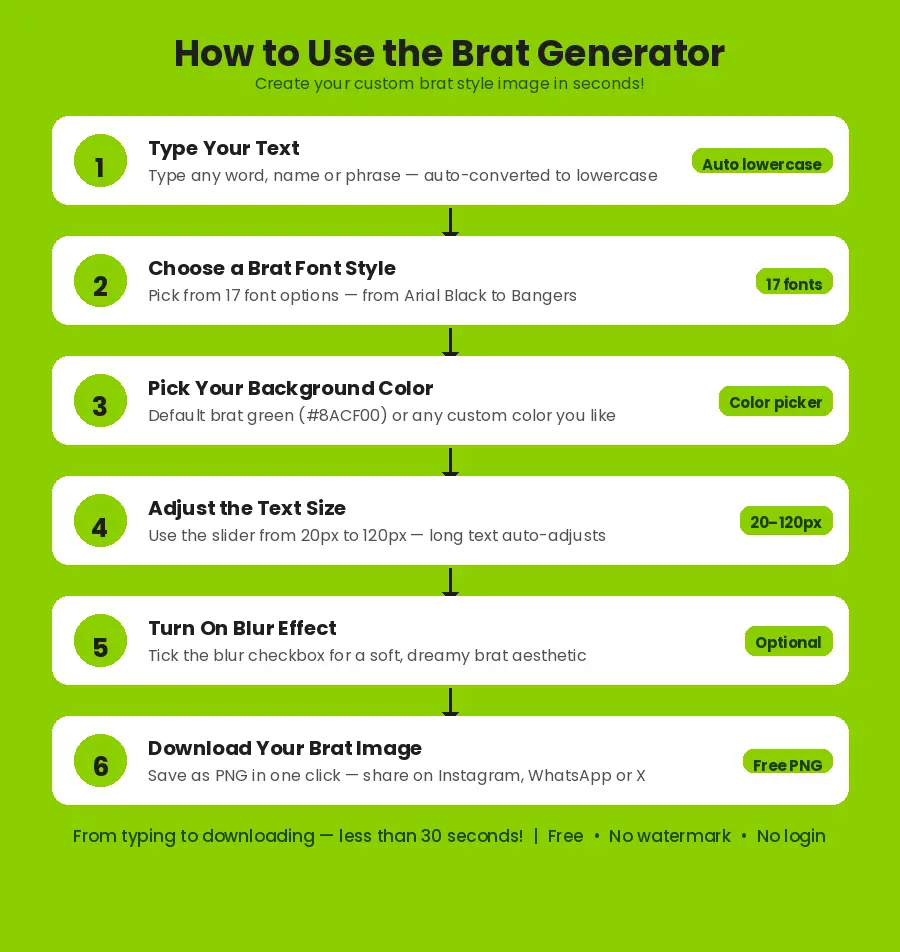
Using the brat generator is very simple and takes only a few seconds. You do not need to create an account or download anything. Just open the tool, follow these easy steps, and your custom brat image will be ready to download right away.
Type Your Text in the Box
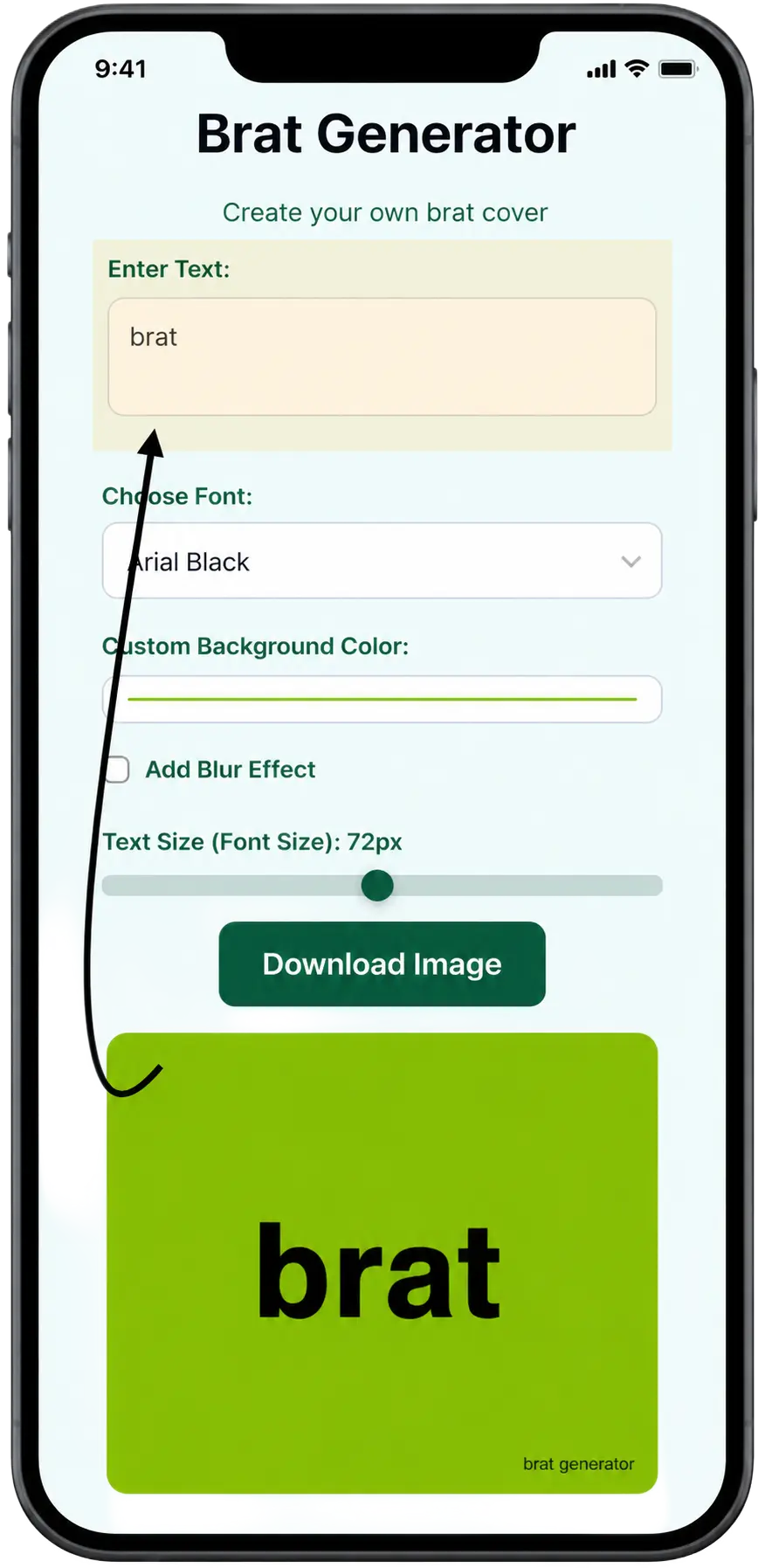
Go to the brat text box at the top of the tool and type any word, name, or phrase you want. It can be your name, a mood, a quote, or anything you like. The brat generator automatically converts your text to lowercase, just like the real Charli XCX brat album cover style. You can see your brat text appear live on the canvas as you type no need to click any button.
Choose a Brat Font Style
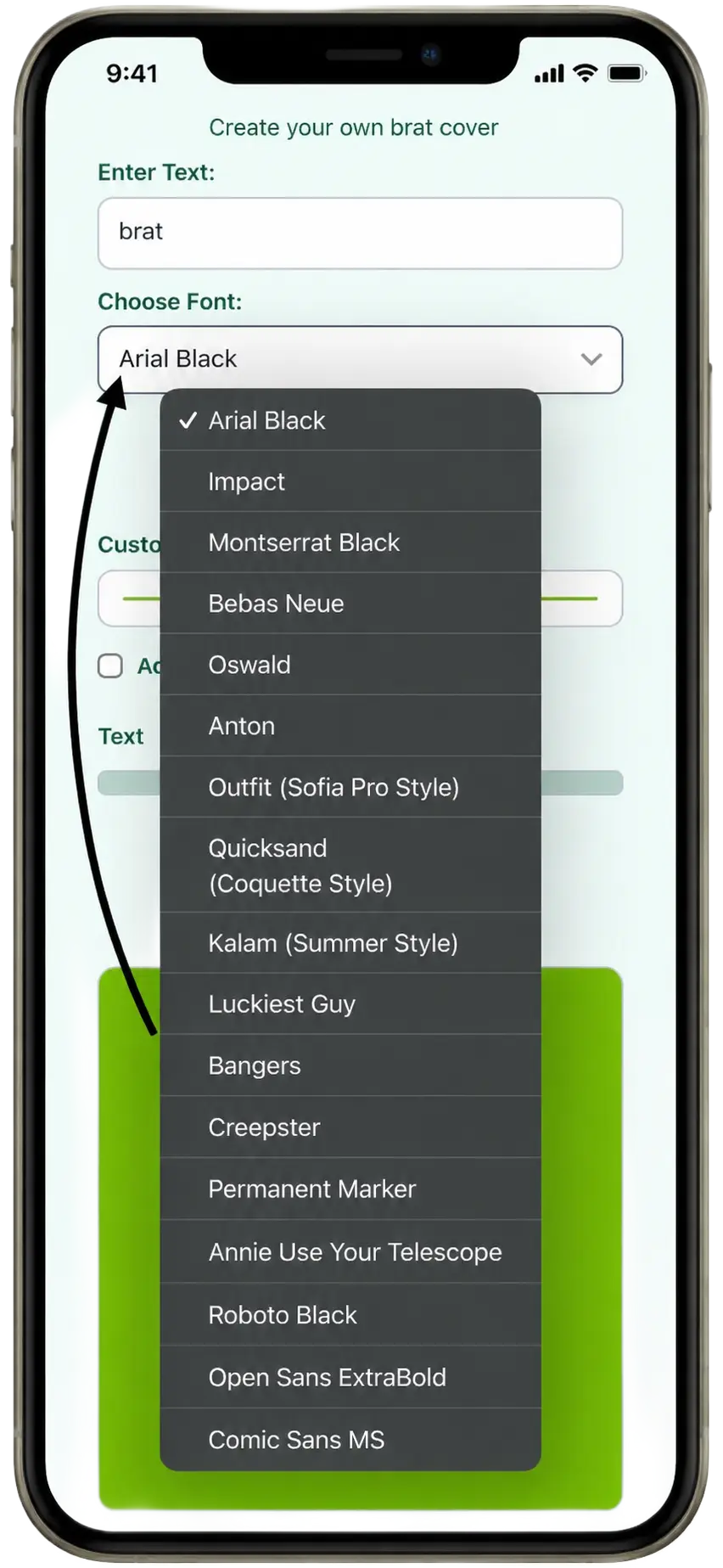
Open the font dropdown and pick a brat font from 17 available options. The default brat font is Arial Black, Which is the closest match to the original brat album font. You can also try bold fonts like Anton, Bebas Neue, and Oswald, or go for a fun style with Permanent Marker, Bangers, or Kalam. Each font gives your brat image a totally different look and feel. Try a few and see which one you like best.
Pick Your Background Color
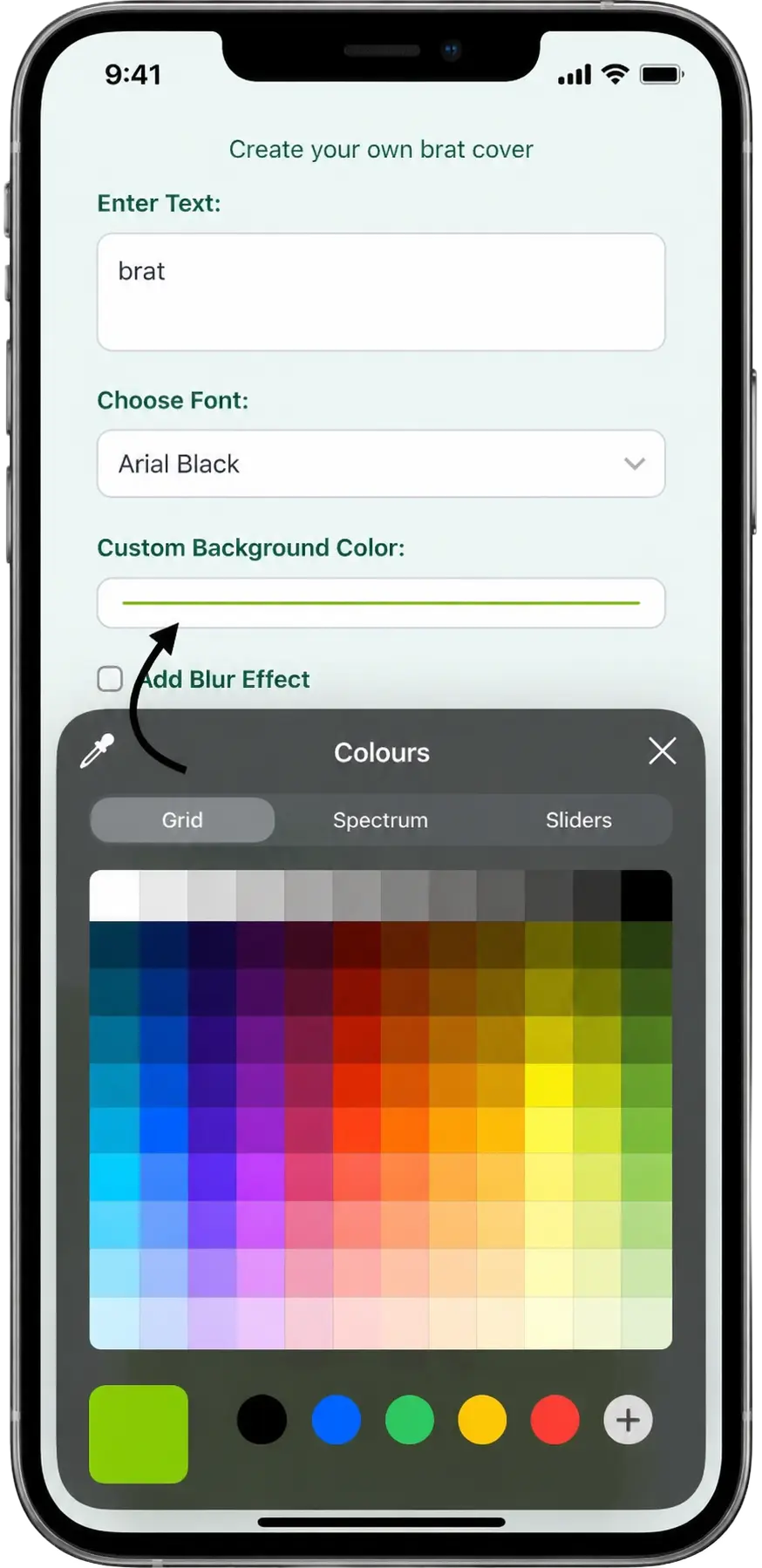
The default background is brat green, The exact same brat green color (#8ACF00) used on Charli XCX’s brat album cover. If you want a different look, click the color picker and choose any custom color you like. You can go for white, black, pink, yellow, or any other shade. This makes the brat generator a great brat generator different colors tool not just a basic green brat image maker.
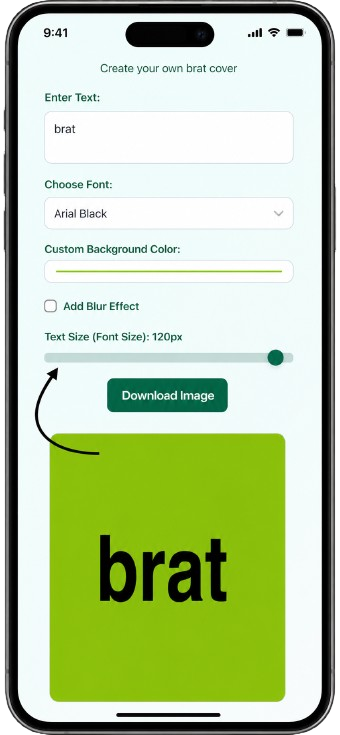
Adjust the Text Size
Use the text size slider to make your brat text bigger or smaller. The slider goes from 20px all the way up to 120px. If you are using the brat long text generator feature meaning you typed a long sentence or phrase — the tool will also auto-adjust the font size so your text fits properly inside the image without getting cut off. Move the slider left or right until the text looks exactly the way you want.
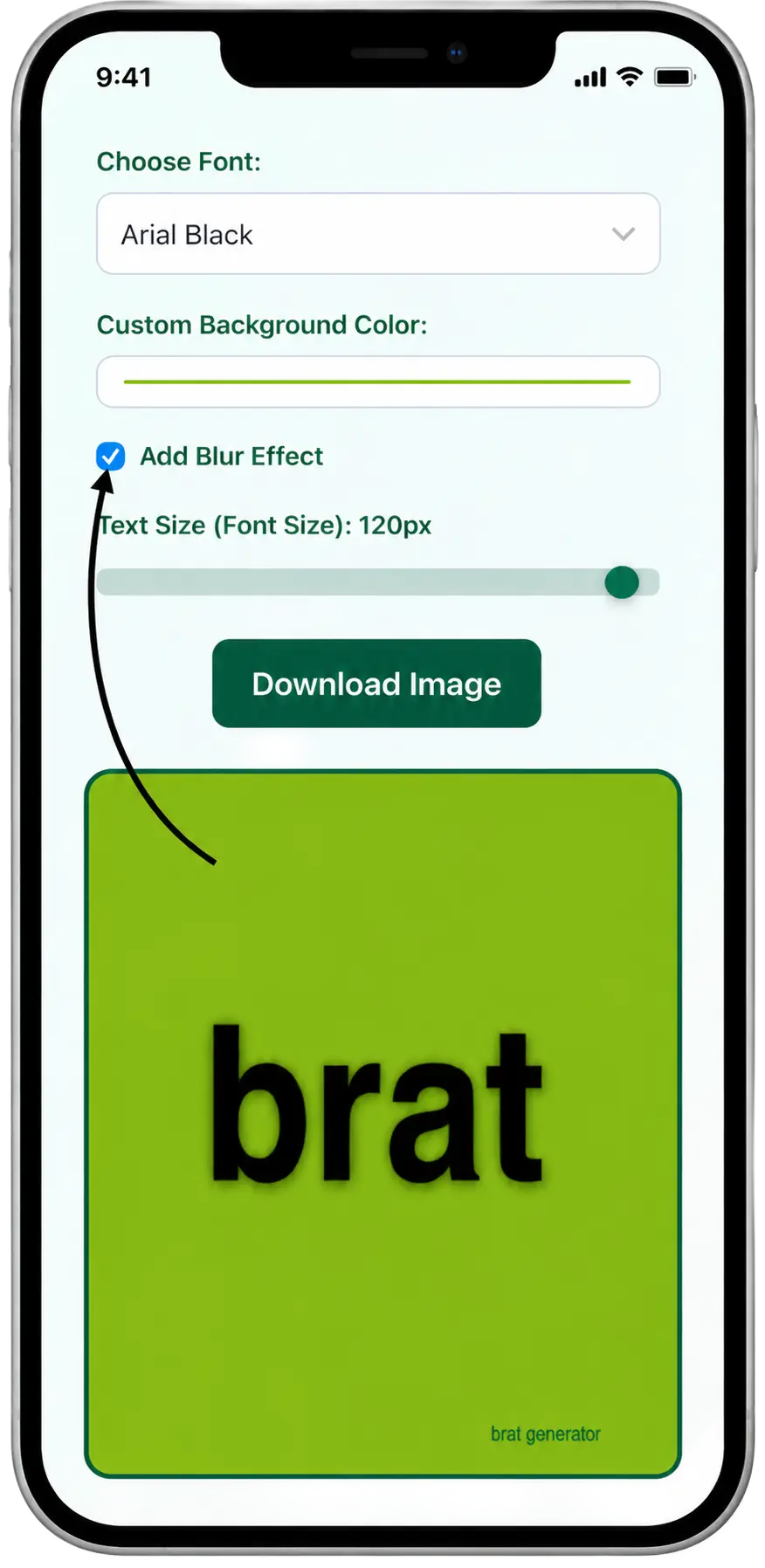
Turn On Blur Effect
If you want a soft shadow look on your brat text, tick the “Add Blur Effect” checkbox. This adds a gentle blur around your brat text, giving the image a dreamy and artistic style. It is a popular look used in many brat meme images shared on social media. This step is completely optional — you can leave the blur off if you prefer the clean, sharp brat text style.
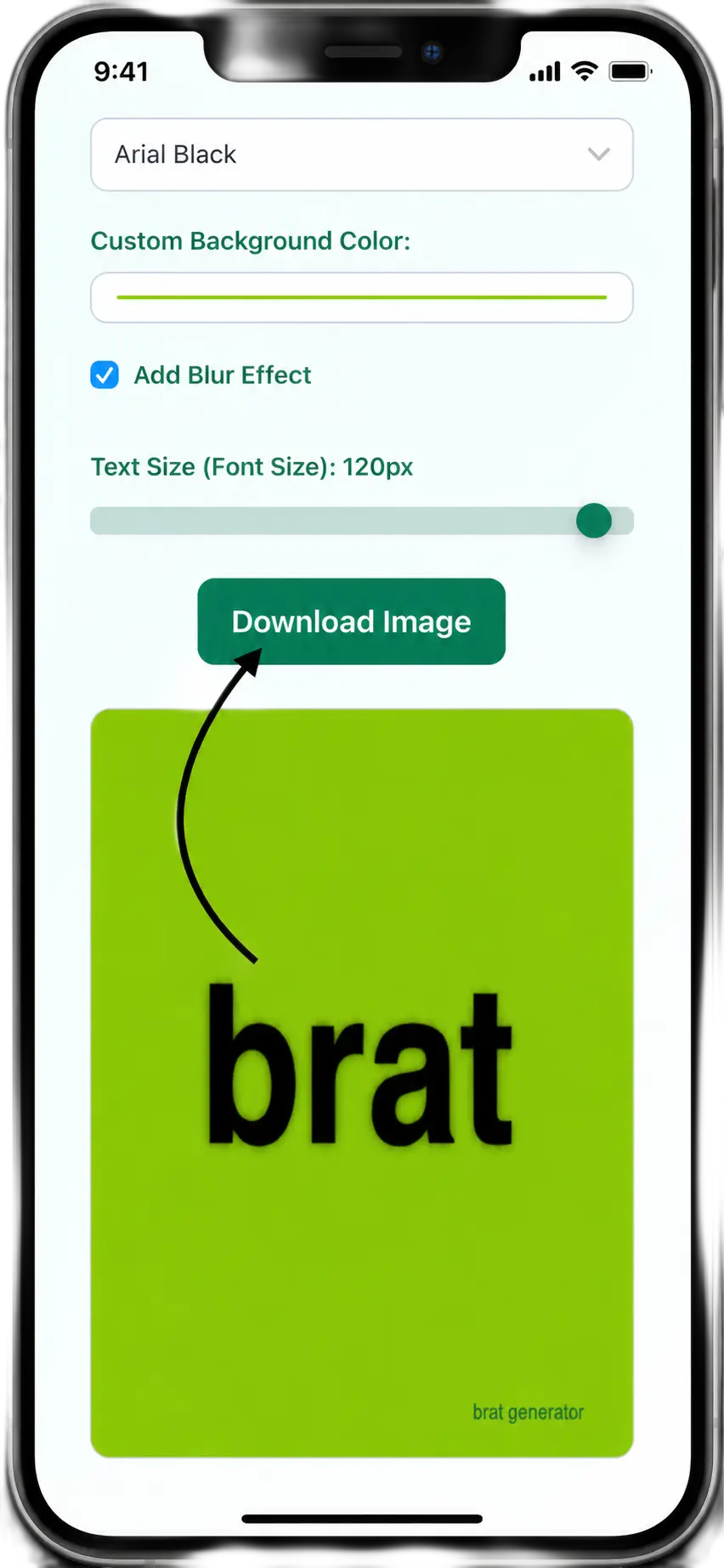
Download Your Brat Image
Once your brat cover image looks perfect, click the Download Image button. Your brat image will be saved instantly as a PNG file on your device. The file name is automatically set based on the text you typed. Now you can share your brat album cover image on Instagram, WhatsApp, X (Twitter), or any platform you like. The whole process, From typing to downloading — takes less than 30 seconds.
Features of the Brat Generator
Brat Text Generator
The brat text generator lets you type any word or phrase and turn it into a brat-style image. It works just like the Charli XCX brat album cover bold, lowercase text on a solid background. You can type your name, a mood, or anything you want. The brat text is placed right in the center of the image, just like the real brat cover.
Choose the Perfect Brat Font
Our brat font generator gives you 17 different font choices. You can pick from bold fonts like Anton, Bebas Neue, and Montserrat Black or go for fun styles like Permanent Marker, Bangers, or Kalam. Each font changes how your brat image looks and feels. The classic brat font style is Arial Black, which looks closest to the real brat album cover font.
Custom Background Color
The default color is brat green (#8ACF00), The same color used on Charli XCX’s brat album. But you can change it to any color you want using our color picker. Try white, black, pink, or any custom color. This makes our tool a full brat generator different colors tool, not just a basic green brat maker.
Text Size Slider
You can control the size of your brat text using a simple slider. Move it left for smaller text, right for bigger text. The slider goes from 20px to 120px. For long brat text or brat long text generator use cases, the tool also auto-adjusts the font size so the text always fits nicely inside the image no cutting off.
Blur Effect
Turn on the blur effect with one click to give your brat text a soft shadow look. This gives your brat image a dreamy, blurred style that looks great on social media. It is a popular style used in many brat meme images. You can turn it on or off anytime before downloading.
Instant Image Download
Once your brat image is ready, click the Download button and save it as a PNG file instantly. No sign-up, no waiting. The file name is set automatically based on your brat text. You can then share your brat album cover image on Instagram, X (Twitter), WhatsApp, or any other platform.
People already used it to make millions of Charli XCX-style graphics. Now go type your name and join them.
Why Use Our Brat Generator?
100% Free
Our brat generator is completely free to use. You do not need to create an account, enter your email, or pay anything. Just open the tool, type your text, and download your brat image, It is that simple. No hidden fees, no premium plan required.
Instant Results
Every change you make — font, color, text size, or blur effect appears on the brat canvas instantly. You do not need to click any generate button. The brat image updates live as you type and adjust settings, so you always know exactly what your final brat cover image will look like.
17 Brat Font Styles
Most brat generators only give you one font. Ours gives you 17 different brat font options from the classic Arial Black brat font to bold styles like Anton and Bebas Neue, or creative options like Permanent Marker and Bangers. You get full freedom to pick the brat font style that matches your mood and personality.
Custom Colors
The classic brat green color (#8ACF00) is the default — the exact same shade used on Charli XCX’s brat album cover. But you are not limited to just green. Use the color picker to choose any background color you want. This makes our tool a true brat generator different colors tool, giving you full creative freedom.
Works on Mobile and Desktop
Our brat generator works smoothly on all devices — iPhone, Android, tablet, laptop, or desktop computer. You do not need to install any app. Just open it in your browser and start creating your brat image right away, wherever you are.
Download and Share in One Click
Once your brat image is ready, download it as a high quality PNG file in just one click. No watermark, no logo, no branding added to your image. Share your brat album cover or brat meme directly on Instagram, WhatsApp, X (Twitter), or TikTok — your image, your style, completely clean.
Conclusion
The brat generator is the fastest, easiest, and most complete free brat image maker online. Whether you are a Charli XCX fan looking to recreate the iconic brat album cover style, or just someone who wants to make a fun brat meme to share with friends. This tool gives you everything you need in one place. With 17 brat fonts, full custom color support, a text size slider, blur effect, and instant PNG download, all for free and with no watermark — there is no better brat creator online. Type your word, pick your style, and download your brat image in seconds. Join the brat aesthetic movement today.
Frequently Asked Questions
Is the Brat Generator free to use?
Yes, our brat generator is 100% free. There is no sign-up, no account, and no payment required. You can create and download as many brat images as you want — completely free of charge. No watermark is added to your downloaded image either.
Can I change the background color in the Brat Generator?
Yes. The default color is brat green (#8ACF00) — the same color used on Charli XCX’s brat album cover. But you can change it to any color you want using the color picker. Our tool supports fully custom background colors, making it a complete brat generator different colors tool — not just a basic green brat image maker.
What brat fonts are available?
Our brat font generator gives you 17 different font styles to choose from. These include bold fonts like Arial Black, Anton, Bebas Neue, Oswald, and Montserrat Black — as well as fun and creative styles like Permanent Marker, Bangers, Kalam, and Luckiest Guy. The default brat font is Arial Black, which is the closest match to the original brat album cover font used by Charli XCX.
Can I control the size of the brat text?
Yes. Our brat generator has a text size slider that lets you make your brat text bigger or smaller — from 20px up to 120px. If you type a long phrase, the tool also automatically adjusts the font size so your brat text always fits properly inside the image without getting cut off. This makes it a great brat long text generator as well.
Can I share the brat image on social media?
Absolutely. Once you download your brat image as a PNG file, you can share it on any platform — Instagram, WhatsApp, X (Twitter), TikTok, Snapchat, or anywhere else. The downloaded image has no watermark and no branding, so it looks clean and ready to post.
Is the Brat Generator officially from Charli XCX?
No. This brat generator is not officially affiliated with Charli XCX or her team. It is an independent, fan-made tool created to let people create their own brat style images inspired by the visual design of the Charli XCX brat album. All brat images you create are your own.
Does the Brat Generator work on mobile?
Yes. Our brat generator works on all devices — iPhone, Android, tablet, and desktop. It runs directly in your browser so there is no app to download or install. You can create and download a brat image on your phone in seconds.
What is the blur effect in the Brat Generator?
The blur effect adds a soft shadow around your brat text, giving your brat image a dreamy and artistic look. It is inspired by the slightly blurry brat font style seen on the original Charli XCX brat album cover. You can turn it on or off with one click — it is completely optional.
What format does the brat image download in?
Your brat image downloads as a PNG file. The file name is automatically set based on the text you typed — for example, if you type “summer”, your file will be saved as “summer.png”. PNG format keeps your brat image clean and high quality, making it perfect for sharing on social media.